 Read Aloud
Text to speech for iPhone & iPad
Life moves.
Your reading
can come along.
Turn PDFs, articles, and your own words into listening time. Pick a voice, find your pace, and take your reading with you.
Free to download · Optional in-app purchases
iPhone & iPad available now. Android coming soon.

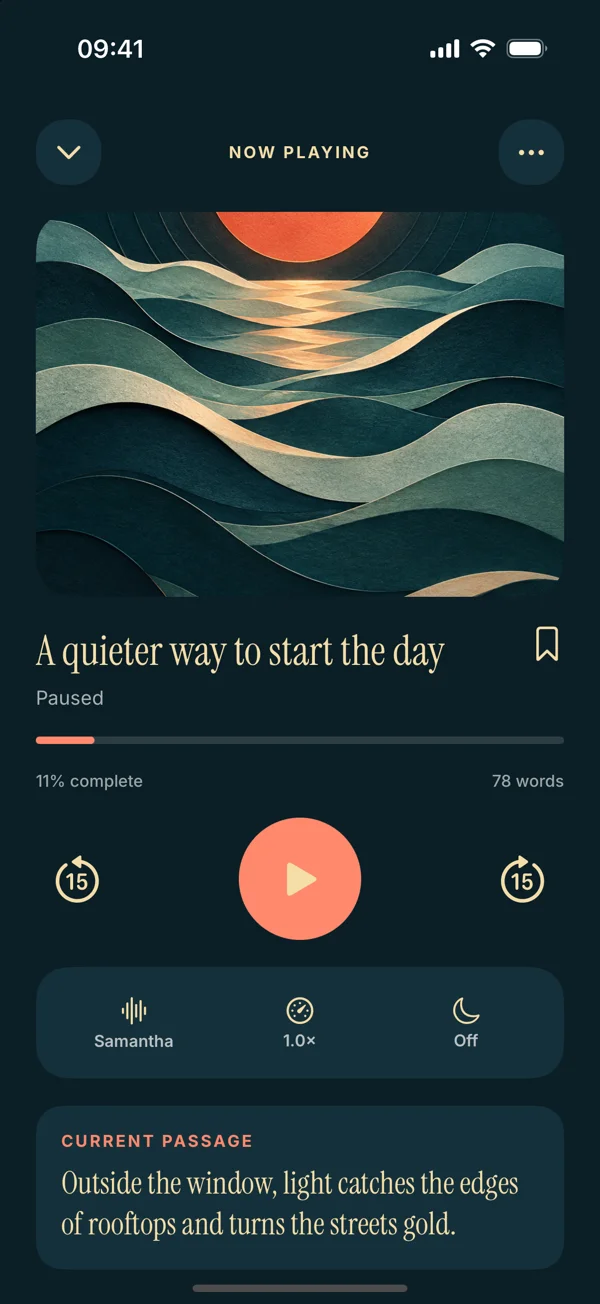
Your kind of day.From the reading list
to the daily walk.
One home for your words
A closer look
A reading app.
With a play button.
Room for your reading. A voice that suits you. A quieter way to get through the words that matter.
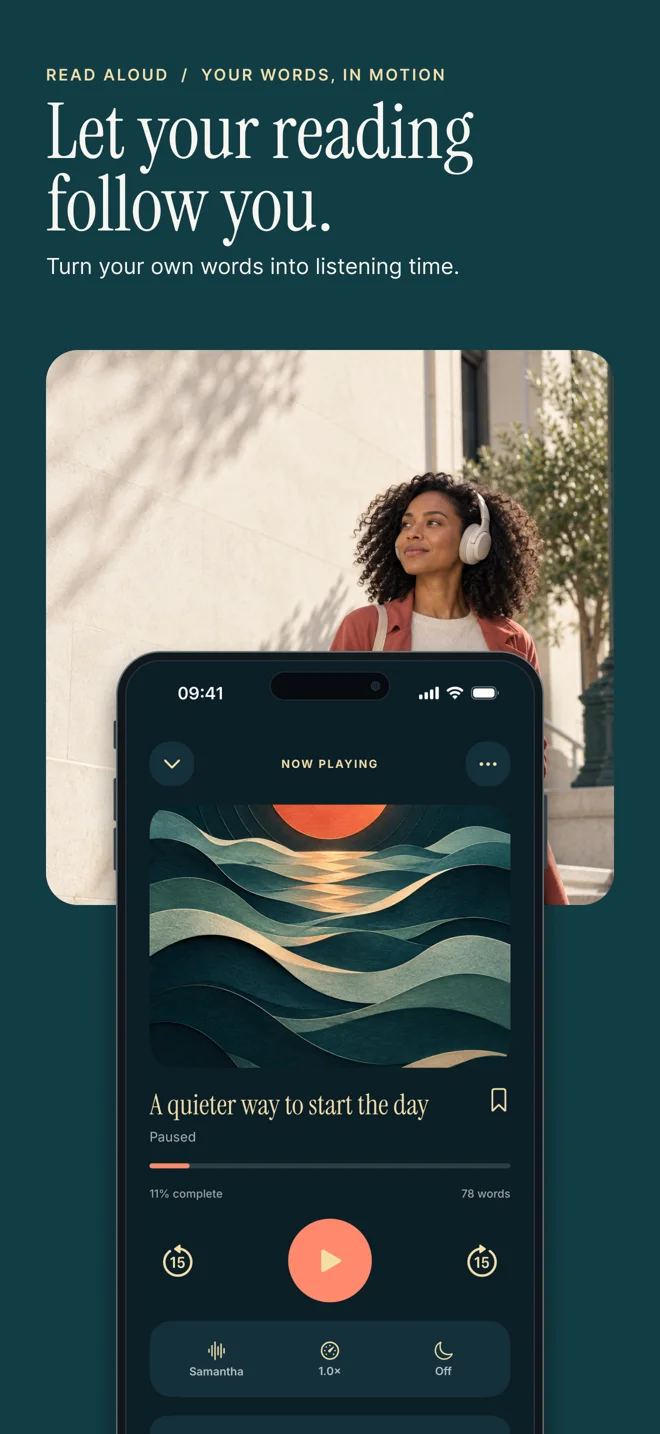
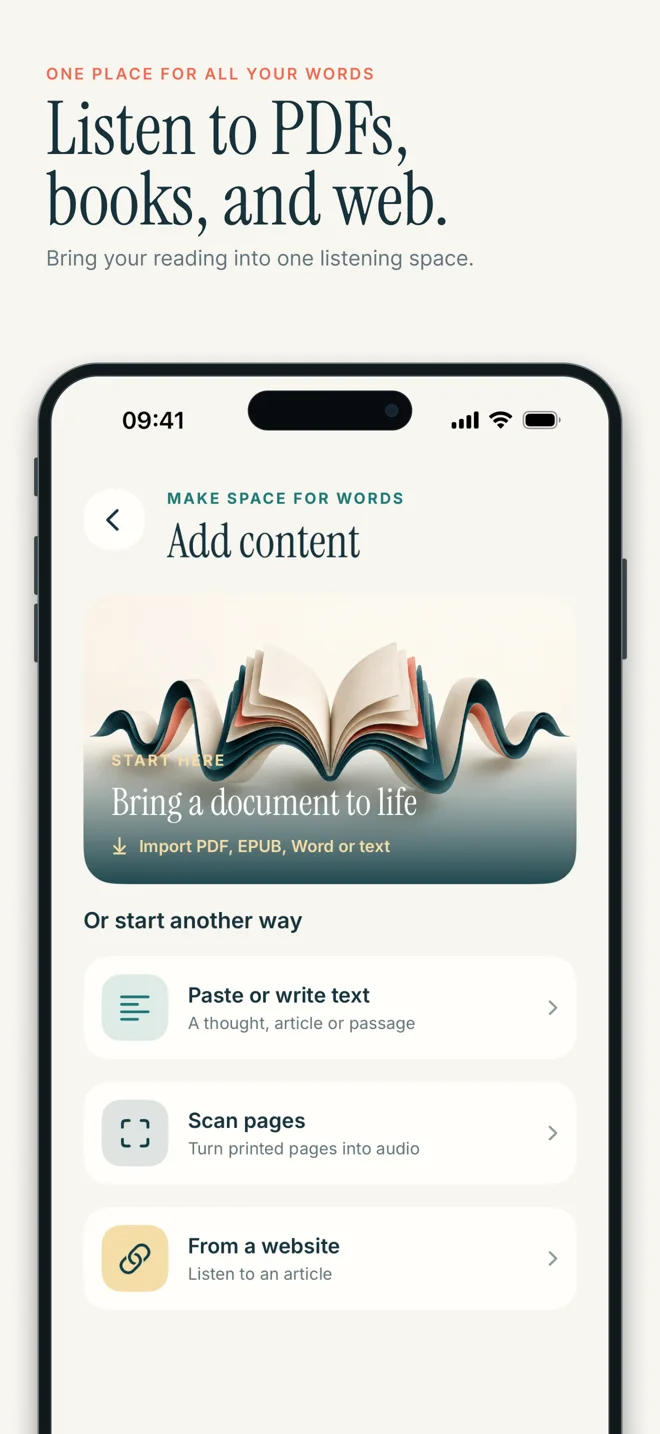
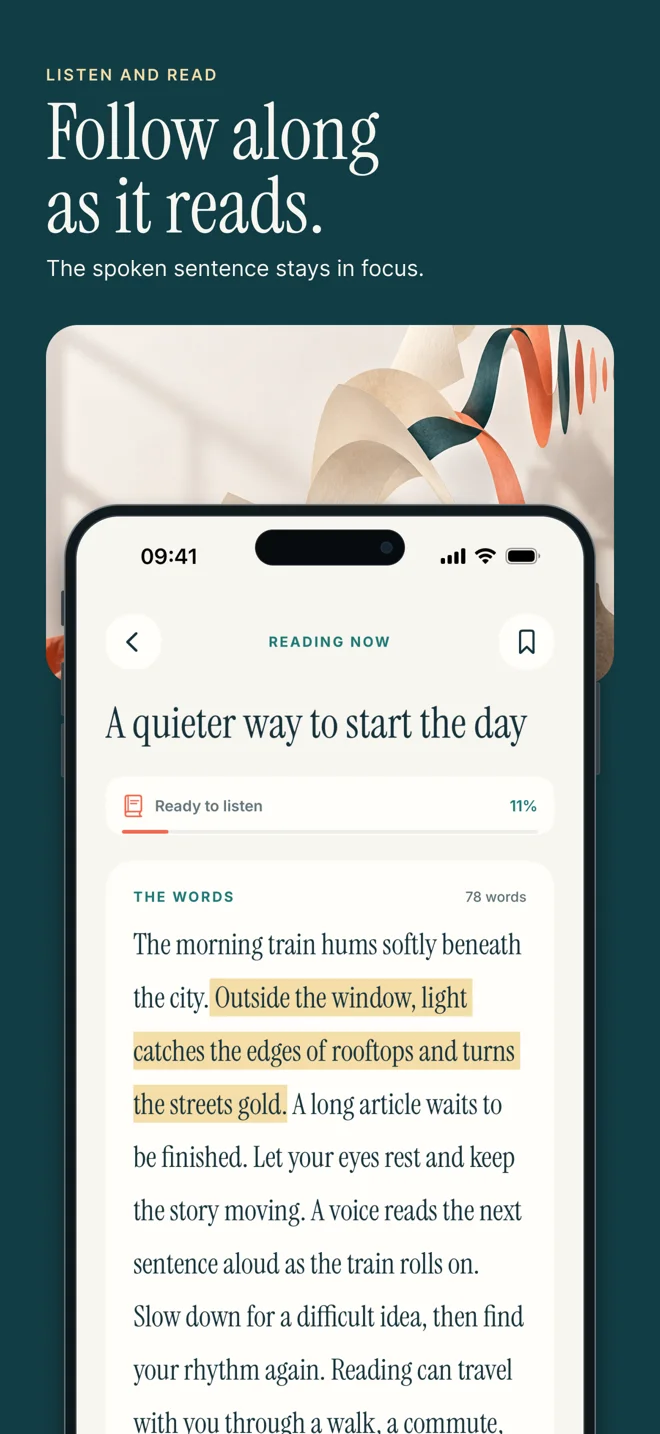
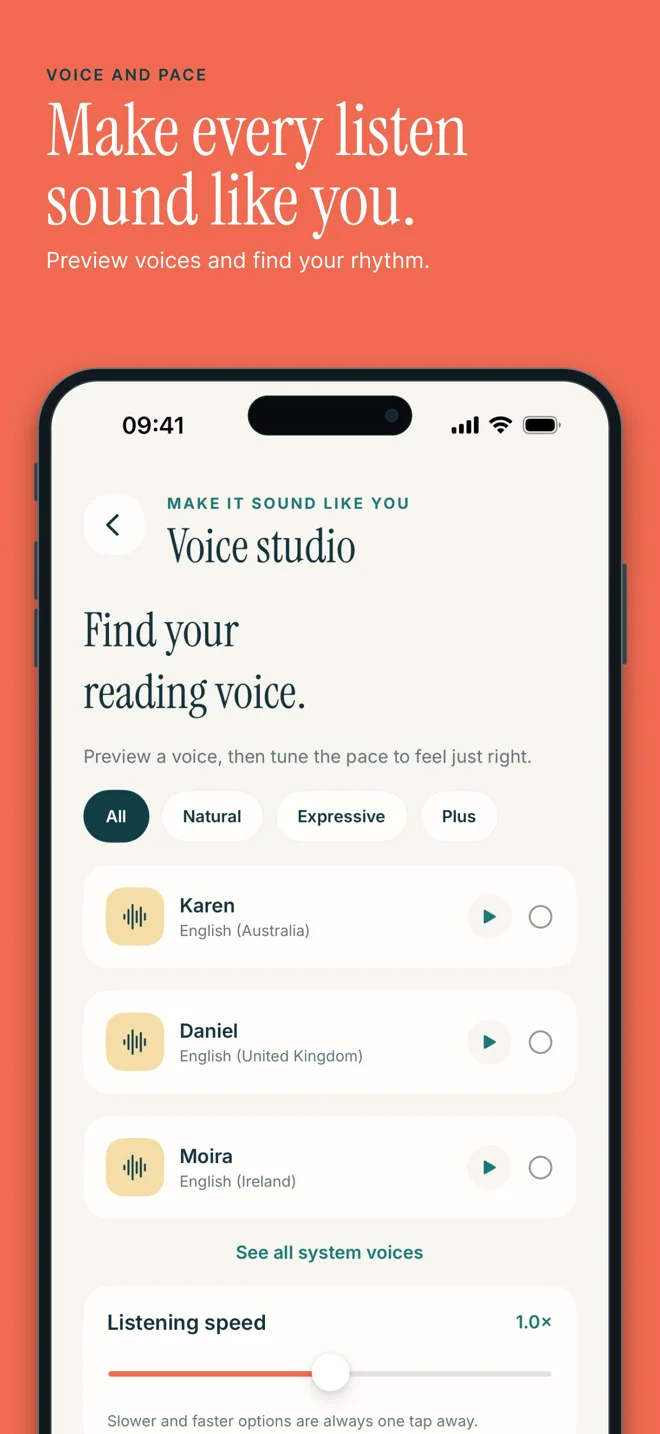
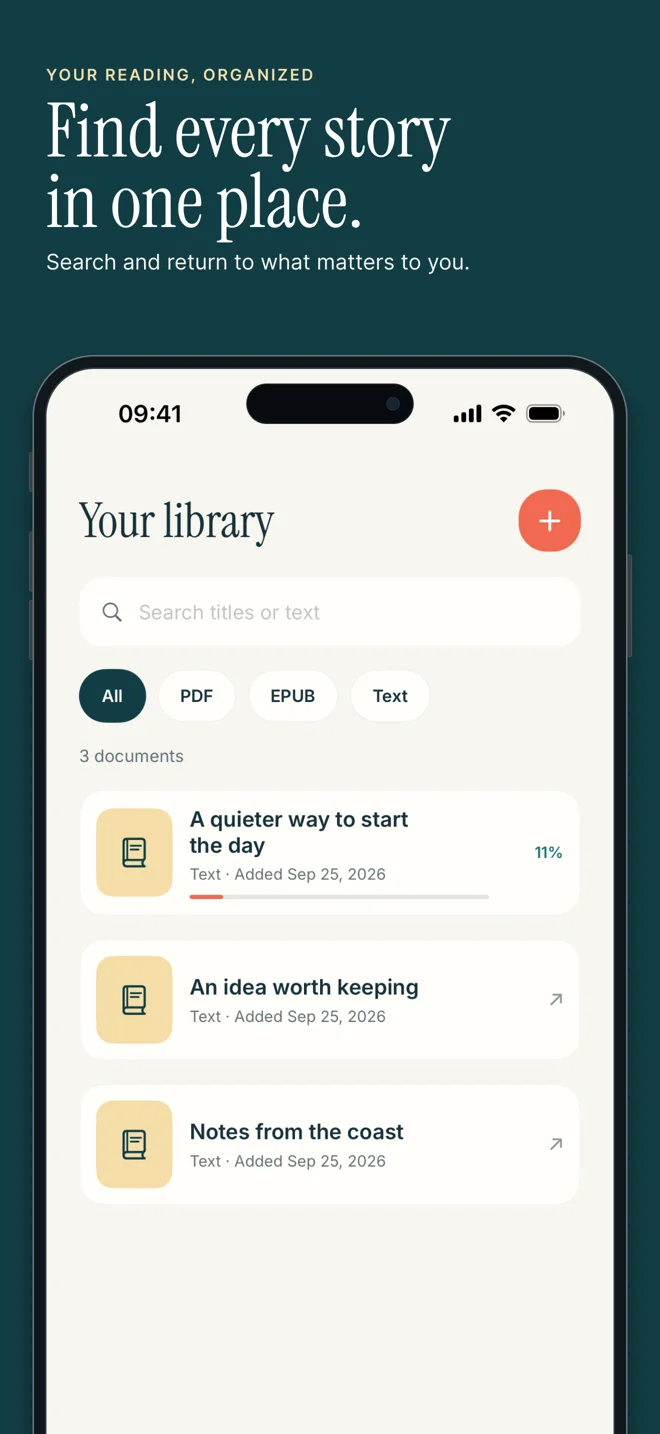
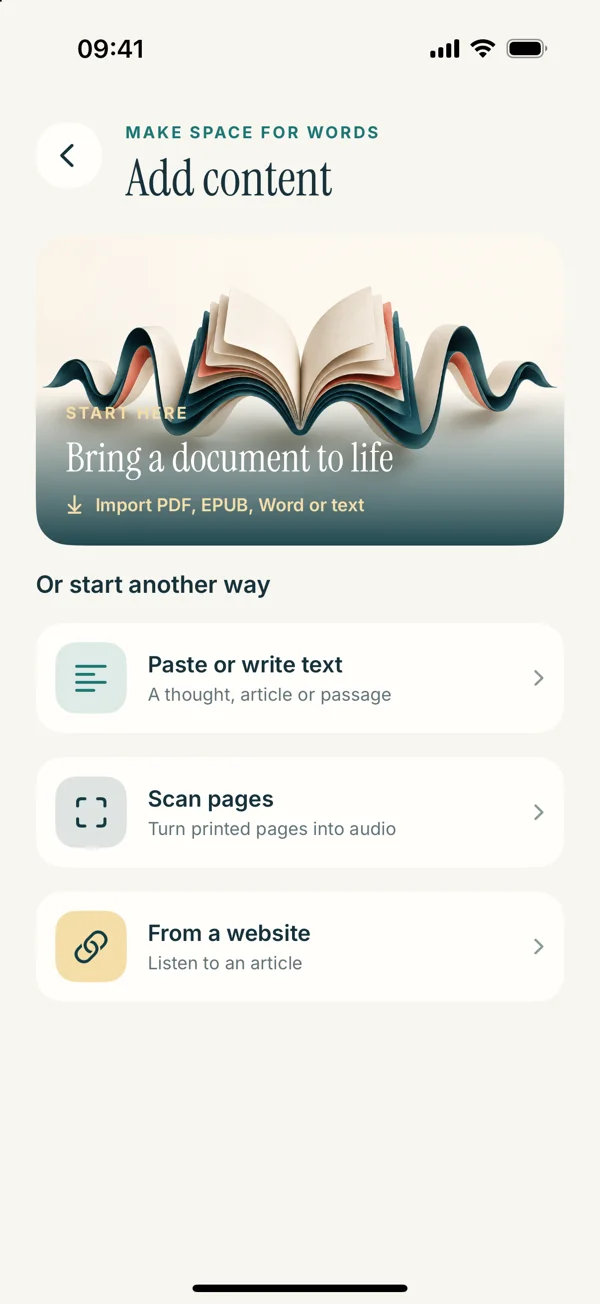
Actual app screens from the upcoming release, shown in the new App Store campaign. EPUB and scanning workflows described here refer to version 1.0.3. See the iPad preview ↗

From saved to listened
A little less scrolling.
A little more listening.
Start with one piece you’ve been meaning to read. These steps preview the redesigned app.
Bring your words.
Add a PDF, paste a passage, or import a web article. The upcoming release also brings EPUB books, document imports, and scanned pages into your library.
Start with a PDF ↗Make it sound like you.
Choose a system voice and set a comfortable listening speed. Optional Read Aloud Plus voices give you more choices. Preview a short passage before settling in.
Find your voice ↗Press play. Keep going.
Listen while following the text, or make your next quiet moment a reading moment. Pause when an idea needs your attention and come back to your saved content.
Your first listening session ↗That “I’ll read it later” list?
It’s ready when you are.
Practical listening guides
Whatever’s on your list,
there’s a way to listen.
Clear steps for real reading tasks. Pick your starting point, check the file, and find your first listen.
Listen to a PDF on iPhone
Learn how to read a PDF aloud on iPhone, check for selectable text, choose a voice, and solve common import problems with this Read Aloud guide.
Make your iPhone read aloud
Make your iPhone read text aloud with built-in options or a saved reading app. Learn how to paste a passage, select a voice, and start listening.
Listen to EPUB books
Preview EPUB listening in Read Aloud’s upcoming release. Learn to import DRM-free books, check the text, and choose a comfortable reading voice.
Hear your saved web articles
Listen to web articles on iPhone with Safari or Read Aloud. Learn how to import a link, check the extracted text, and handle pages that will not load.
Turn printed pages into listening
Preview scan-to-speech in Read Aloud’s upcoming release. Learn how to capture printed text, review recognition errors, and listen to the result.
Hear a Word document
Preview DOCX listening in Read Aloud’s upcoming release. Compare Word’s reading option, prepare your file, and check imported text before playback.
Make more of reading on iPad
Set up a practical text-to-speech workflow on iPad. Bring in text or documents, check the reading view, and use Read Aloud’s saved listening library.
Find your reading voice
Find a reading voice that suits your text. Compare system and Plus voices in Read Aloud, match the language, and adjust the pace one step at a time.
Make room for reading
Your next listen
is already on
your phone.
Start with the article, PDF, or passage you already have. Read Aloud is available for iPhone and iPad, with an Android version on the way.
Free download · In-app purchases
The App Store has current device requirements, prices, and release details. The redesign shown on this site is coming in version 1.0.3.
The Read Aloud journal
Good reads.
Better reading habits.
Document fixes · 8 min read
Why Your PDF Has No Selectable Text
A PDF can look readable but contain only images. Learn how to identify the problem, choose a better source, and prepare a usable copy for listening.
Read the story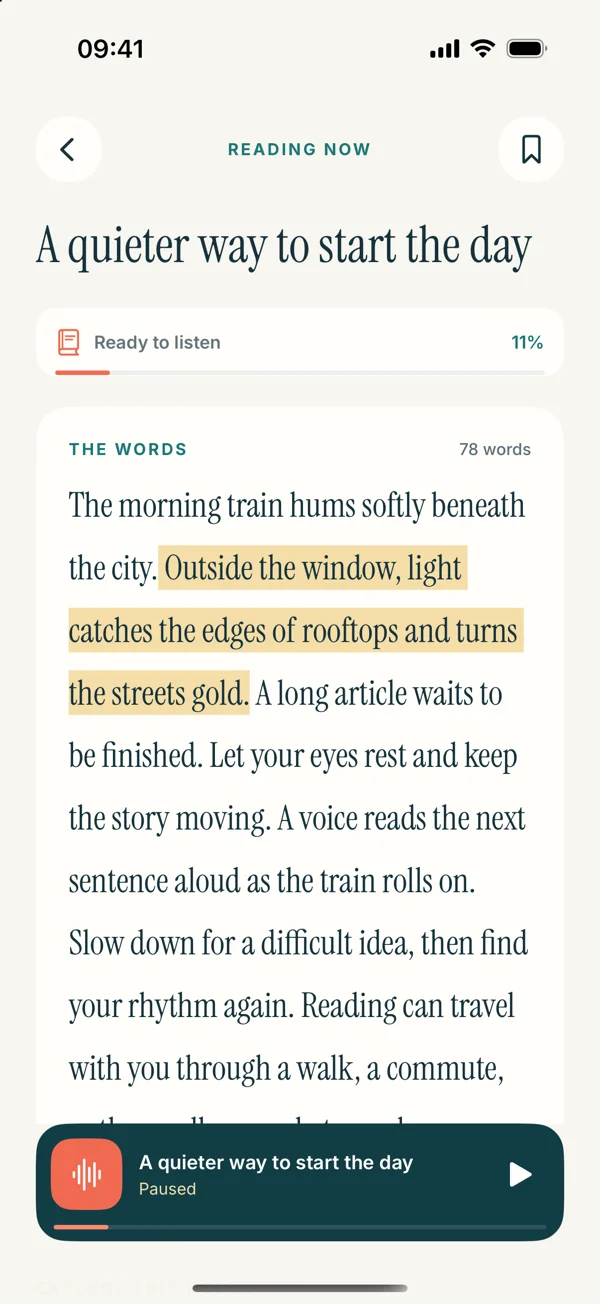
Document fixes · 8 min read
Why a PDF Reader Jumps Between Columns
Is your PDF reader jumping between columns or repeating headers? Learn how to diagnose reading order and prepare a clearer version for listening.
Read the storyBetter listening · 8 min read
Fix Odd Pauses in Copied Text Before Listening
Does speech pause in the middle of every sentence? Learn how to clean copied line breaks, split words, and page clutter without changing the meaning.
Read the storyA few things to know
Questions?
Let’s clear
them up.
From your first PDF to finding the right voice, here are useful answers before you press play.
Need a hand with your app?
Contact Read Aloud support ↗
How do I get my iPhone to read text aloud?
For a quick selection, iPhone has built-in Read & Speak controls. In Read Aloud, add your text, choose a voice, and press play to keep your reading in a saved library.
Learn more about How do I get my iPhone to read text aloud ↗Can I listen to a PDF on my iPhone?
Yes. Import a PDF with selectable text and open it in the reader. An image-only scan needs text recognition first; complex columns and tables may need extra checking.
Learn more about Can I listen to a PDF on my iPhone ↗Can Read Aloud read EPUB books aloud?
The upcoming 1.0.3 release supports EPUB imports. Use an EPUB file you can access in Files. DRM-protected purchases and Kindle files are not supported imports.
Learn more about Can Read Aloud read EPUB books aloud ↗How can I listen to a web article?
Copy the article URL into the website import option. Check the extracted text before playing. If a page requires a login or blocks extraction, paste text you are allowed to copy.
Learn more about How can I listen to a web article ↗Can I scan a printed page and hear it?
The upcoming release includes Scan pages and text recognition from photos. Use clear, evenly lit print, then check the recognized words before listening.
Learn more about Can I scan a printed page and hear it ↗Is Read Aloud free to download?
Yes. The iOS download is free and the app offers optional in-app purchases. System voices and Plus voices are distinct; check the app for current plans and feature access.
Learn more about Is Read Aloud free to download ↗Does Read Aloud work on iPad?
Yes, the App Store listing supports iPhone and iPad. The new iPad screenshots preview the upcoming 1.0.3 interface. Android is in development and has no public download yet.
Learn more about Does Read Aloud work on iPad ↗Can I listen to a Word document?
The upcoming release supports text extraction from DOCX and RTF documents. Save a local copy in Files, import it, and check the text. Legacy DOC files need conversion first.
Learn more about Can I listen to a Word document ↗Your next chapter starts here
Make time for your reading.
Just press play.
That article you saved. The document you need to finish. Give your words a voice with Read Aloud.
Download for iOSFree to download. Optional in-app purchases.
Downloads open the currently released iOS app.